
Put every machine to work.
Keep checkouts on several hosts under one shared project. Run independent tasks on different machines, each with its own durable conversation and worktree choice.
Projects & tasks →Headless agents. Many machines. Open source.
Run Codex and your other coding agents on an always-on Mac, Linux server, or workstation. Check in from your Mac or phone.
Your laptop is the remote control. Your hosts do the work—even after you close the app or disconnect. Keep the execution machine powered on and awake.
macOS · Android · iOS beta
Agent hosts on macOS and Linux
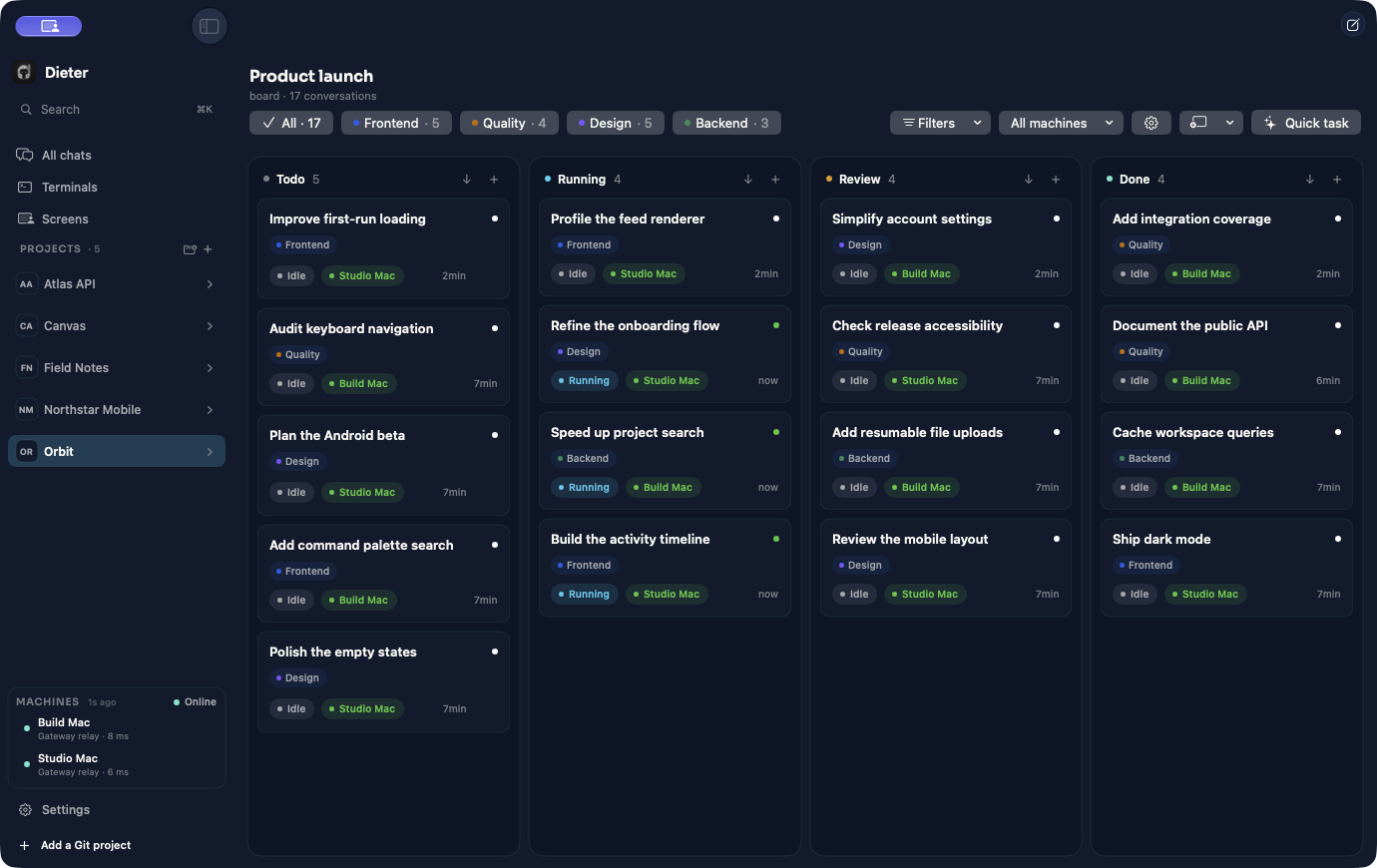
The workspace you wanted for Codex
Codex, Claude Code, Pi, Oh My Pi, and DeepSeek Harness. Bring your accounts, spread tasks across your machines, and follow everything in one place.
Keep checkouts on several hosts under one shared project. Run independent tasks on different machines, each with its own durable conversation and worktree choice.
Projects & tasks →A board shows what is queued, running, ready for review, and done. Open the conversation, inspect changes, and send the next instruction without losing the thread.
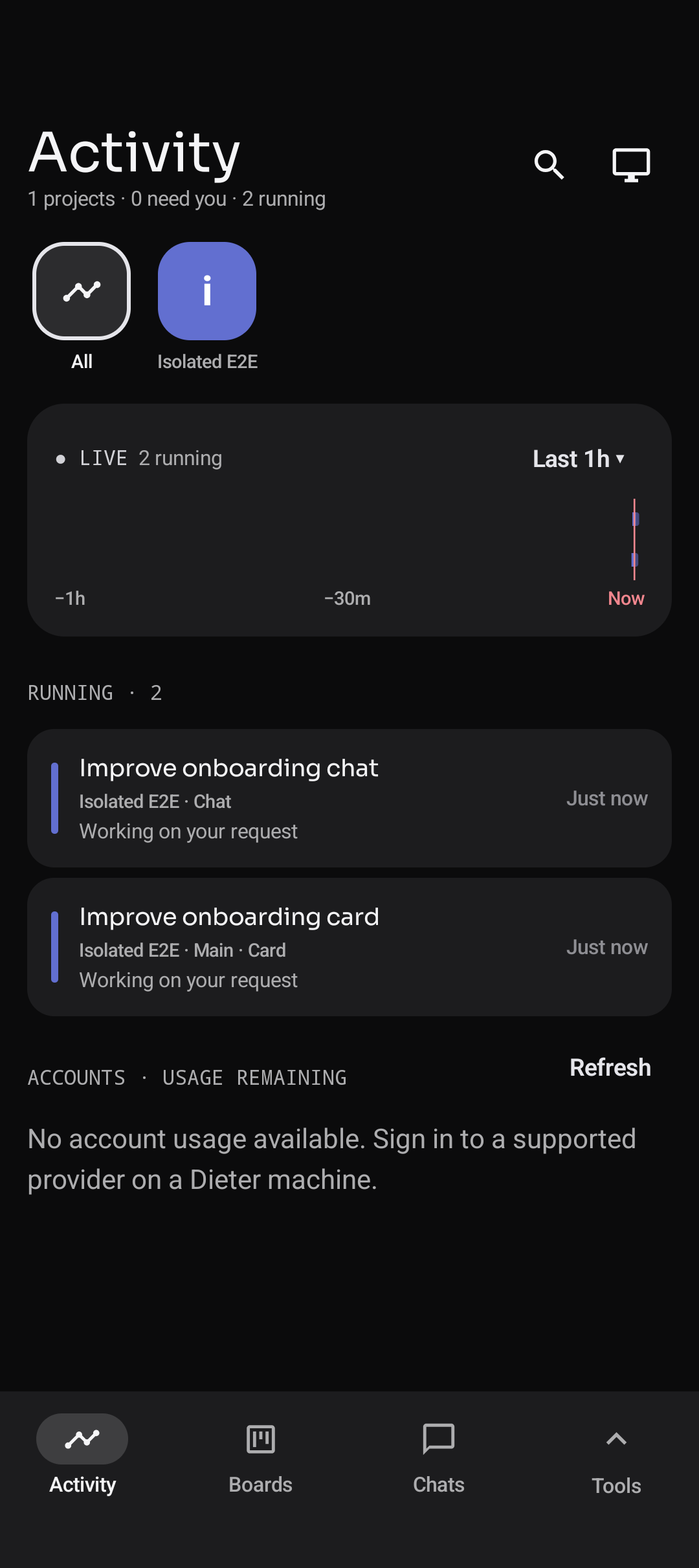
Boards & review →An agent running on your always-on host keeps working when your client disconnects. Pick it up on Android, send a follow-up, and return to the same conversation later.
Terminals & automation →Native where it matters
Android puts Activity, Boards, and Chats one tap away. Open a machine’s tools when you need files, a terminal, or a remote screen.
Your phone and Mac are clients of the same host-owned work. Switching devices does not move or restart the agent.
See the product tour →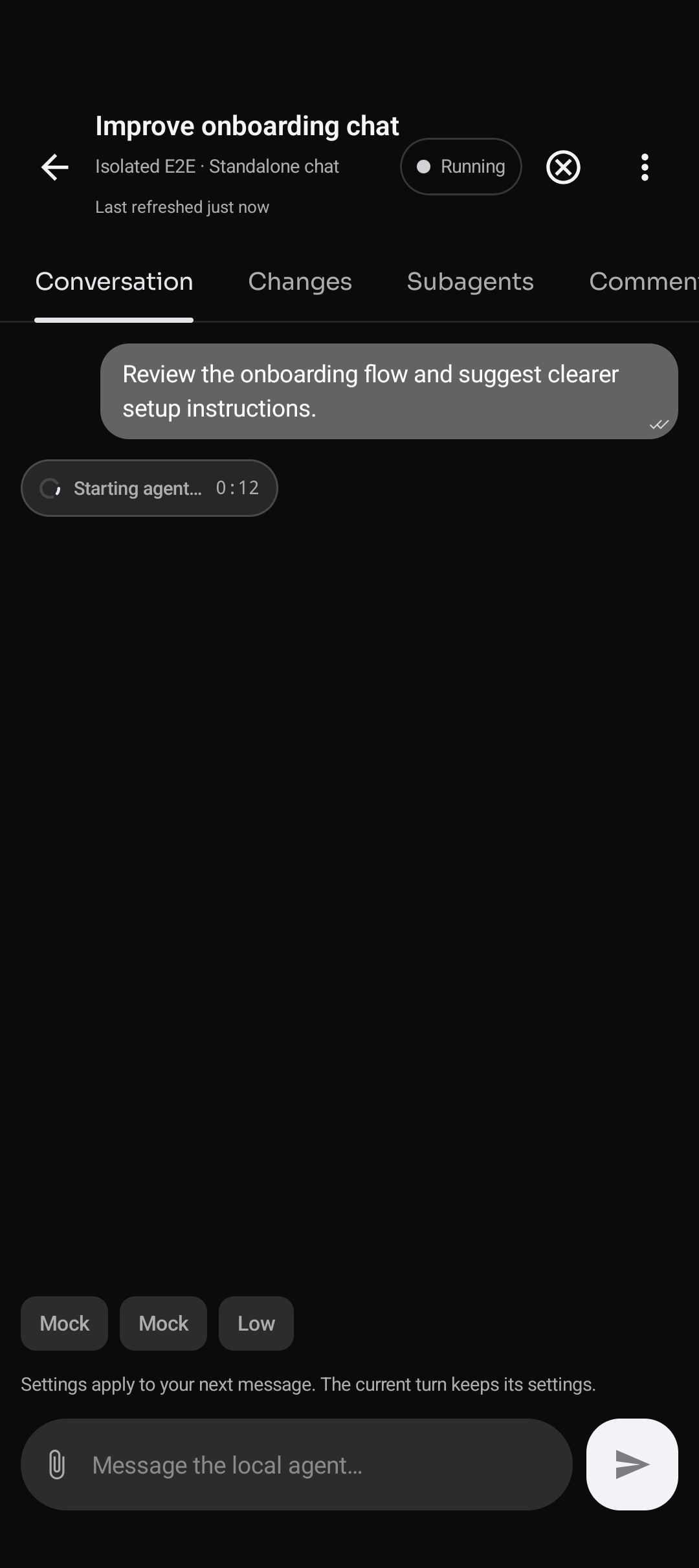
When a chat is not enough
Headless agents need no open app or display. Use a native terminal for host commands, or connect to a screen on a host with an active desktop.
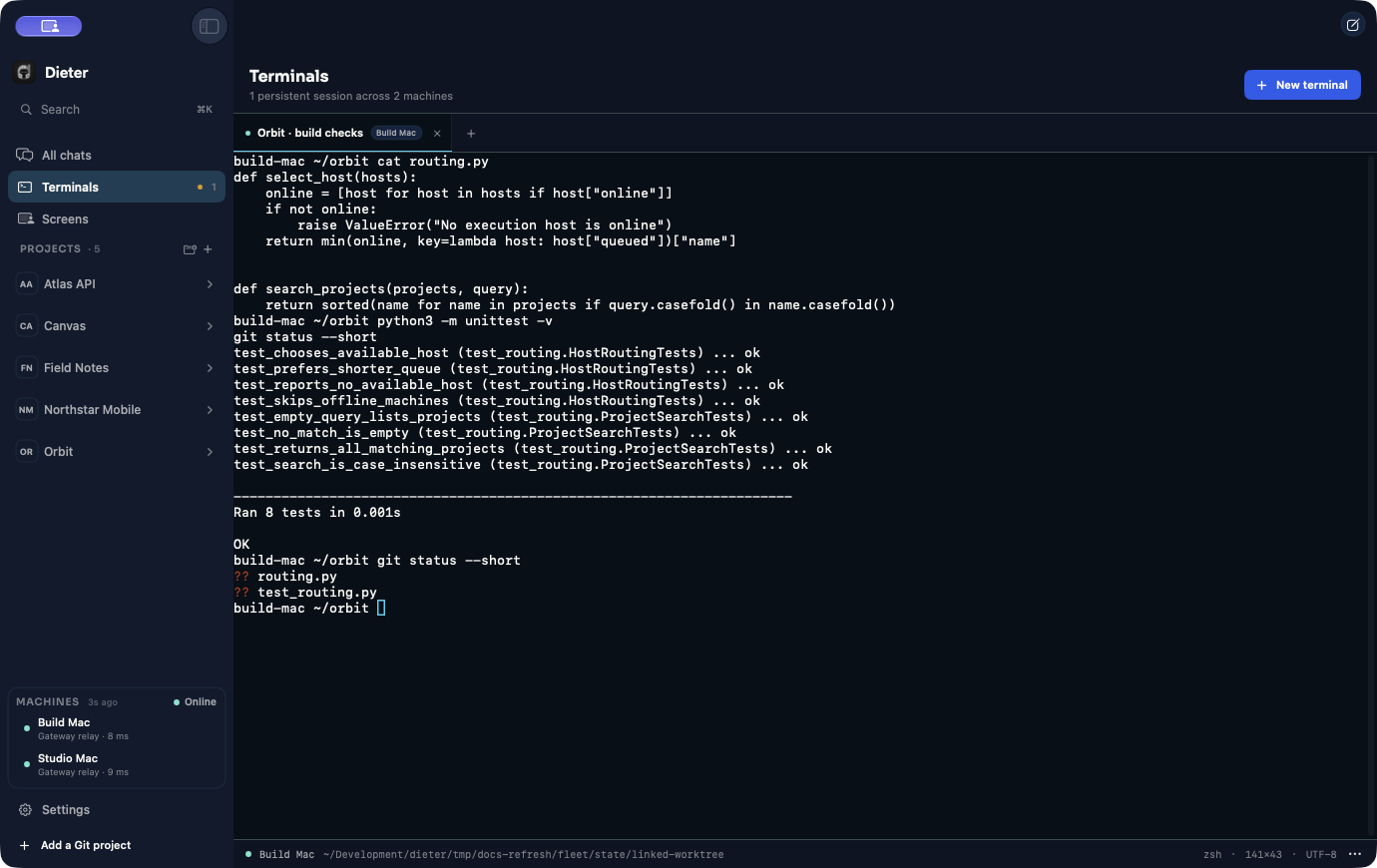
Inspect a build, run a command, and reconnect later. Terminal sessions belong to the host.
Terminals & background work →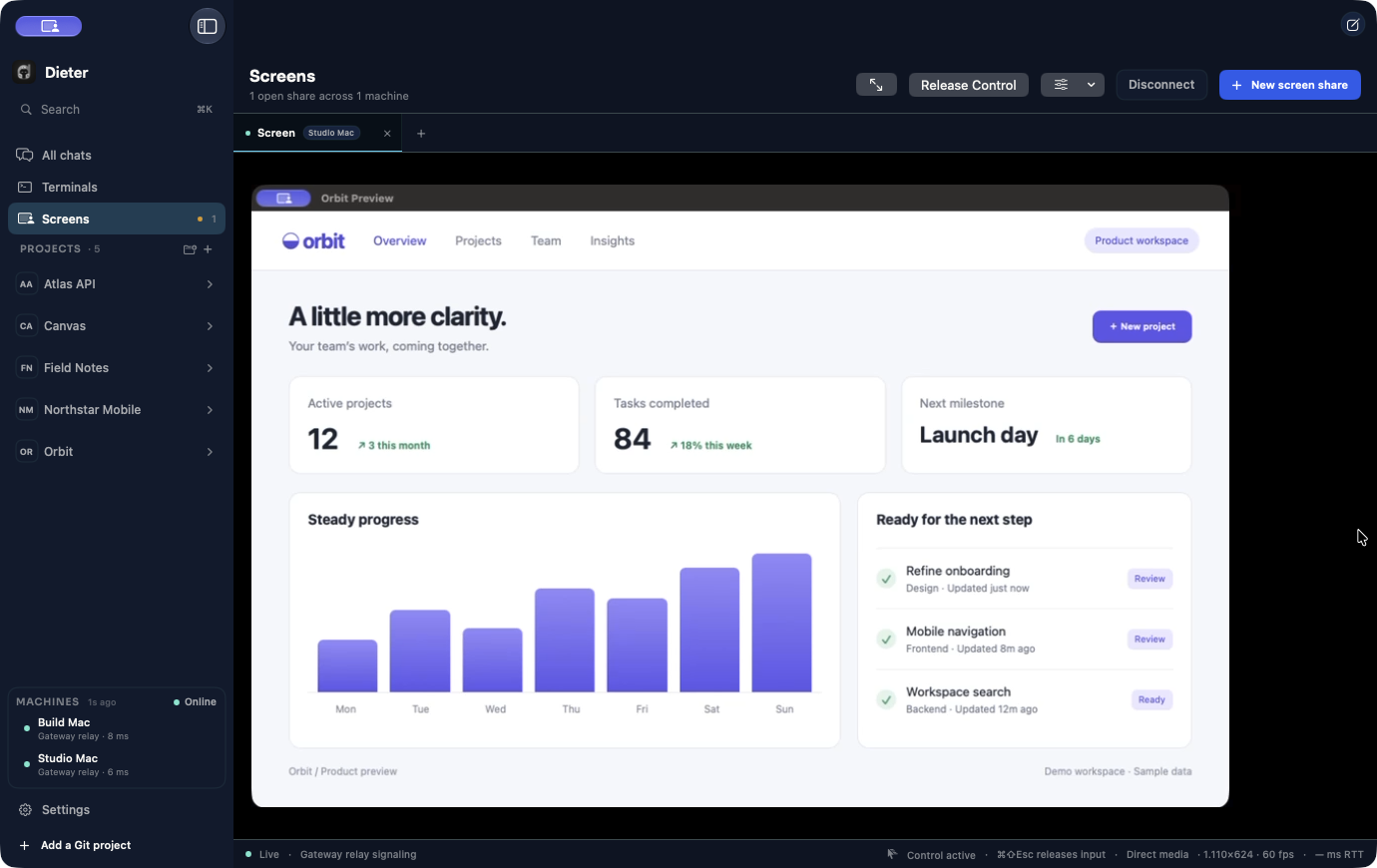
Check a visual result or take control when needed. Screen hosting requires an active desktop and OS permissions.
Screen sharing →Built around your machines
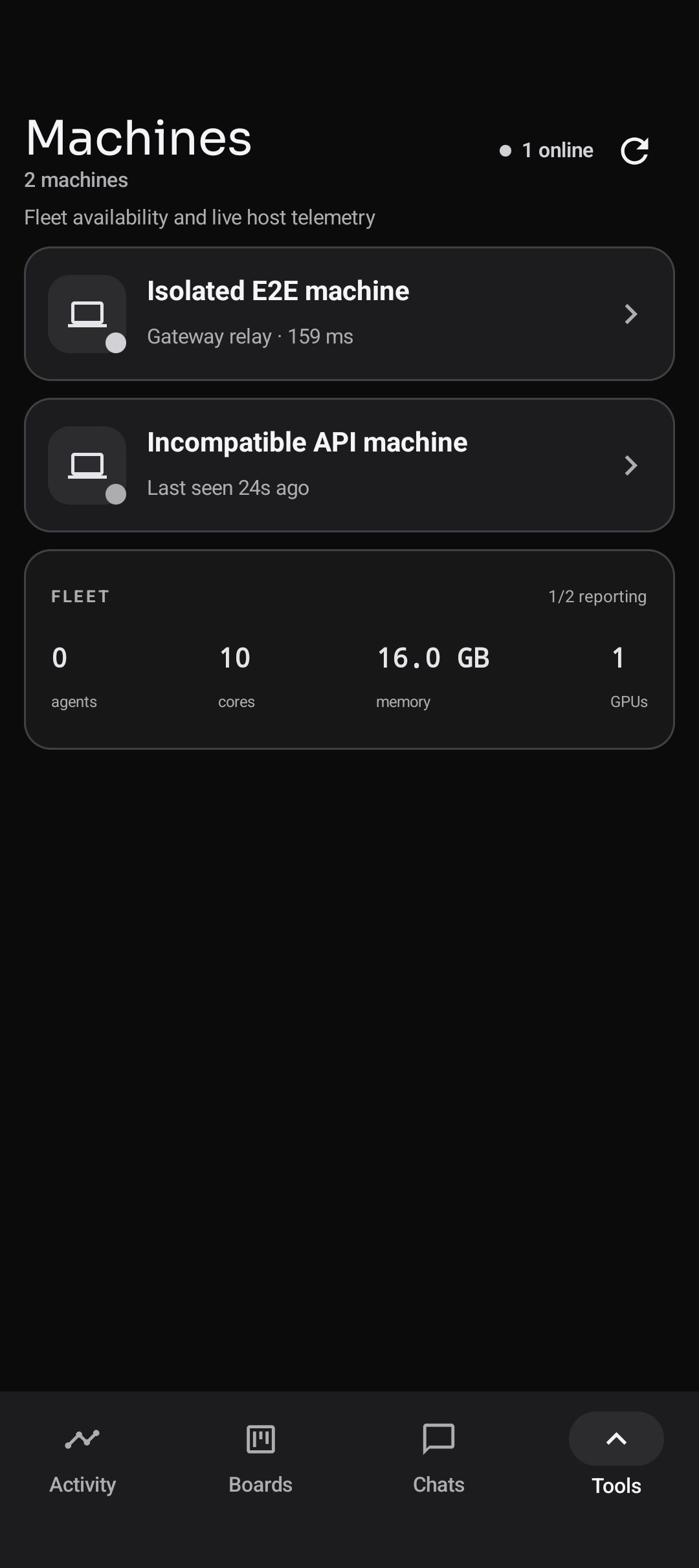
One shared project can have checkouts on several hosts. Each conversation knows exactly where it runs.
macOS · Android · iOS beta
Git checkouts · Agents · Tools
Open by design
The gateway stores identity, routes, and normalized quota snapshots. It does not store your repositories or conversations. Agents use your host permissions and your chosen model provider.
Read the security model →Run your own gateway, inspect the source, and shape the project. No per-seat software license; model-provider and infrastructure costs remain yours.
Run a gateway →Make room for your next idea
Install a host and a client. Bring a configured agent account and your gateway origin.
brew install dbpprt/tap/dieter
brew install --cask dbpprt/tap/dieter-app
dieter setup --gateway https://dieter.example.com
dieter project open ~/Development/my-project
open -a Dieter
Replace the example gateway with yours. Requires macOS 26+ for the app and Node.js 22.19+, npm, and Git on the host.
Made in Berlin. Built in the open.
An open-source workspace for agents that live beyond one laptop session. Run it on your machines, make it part of your workflow, and help build what comes next.