Projects & tasks
Give work a home, choose its checkout, and carry it through review.
One project, several checkouts
A project is a shared identity in your Dieter account. A checkout is an existing Git working tree on a particular daemon. Attach a second checkout to the existing project to use the same boards across machines.
dieter project list --format jsonl
dieter project checkouts PROJECT_ID
dieter project attach --help
Shared project, board, label, and ordering metadata replicate between enrolled daemons. A conversation and schedule keep one execution owner and checkout. An offline owner cannot execute a new turn or serve its local files; another replica can still show shared project metadata.
Pick an execution workspace
| Mode | Where the agent works | Where changes appear |
|---|---|---|
| New worktree | A daemon-managed Git branch and directory for the conversation | That conversation’s Changes surface |
| Project directory | The registered checkout, including its current branch and edits | Project Files → Changes |
Project directory mode does not switch branches. Multiple conversations may use that same checkout concurrently, so use separate worktrees when their edits need isolation. There is at most one active turn per conversation; there are no global, provider, or board conversation caps. Machine resource limits still apply.
Cards and standalone chats
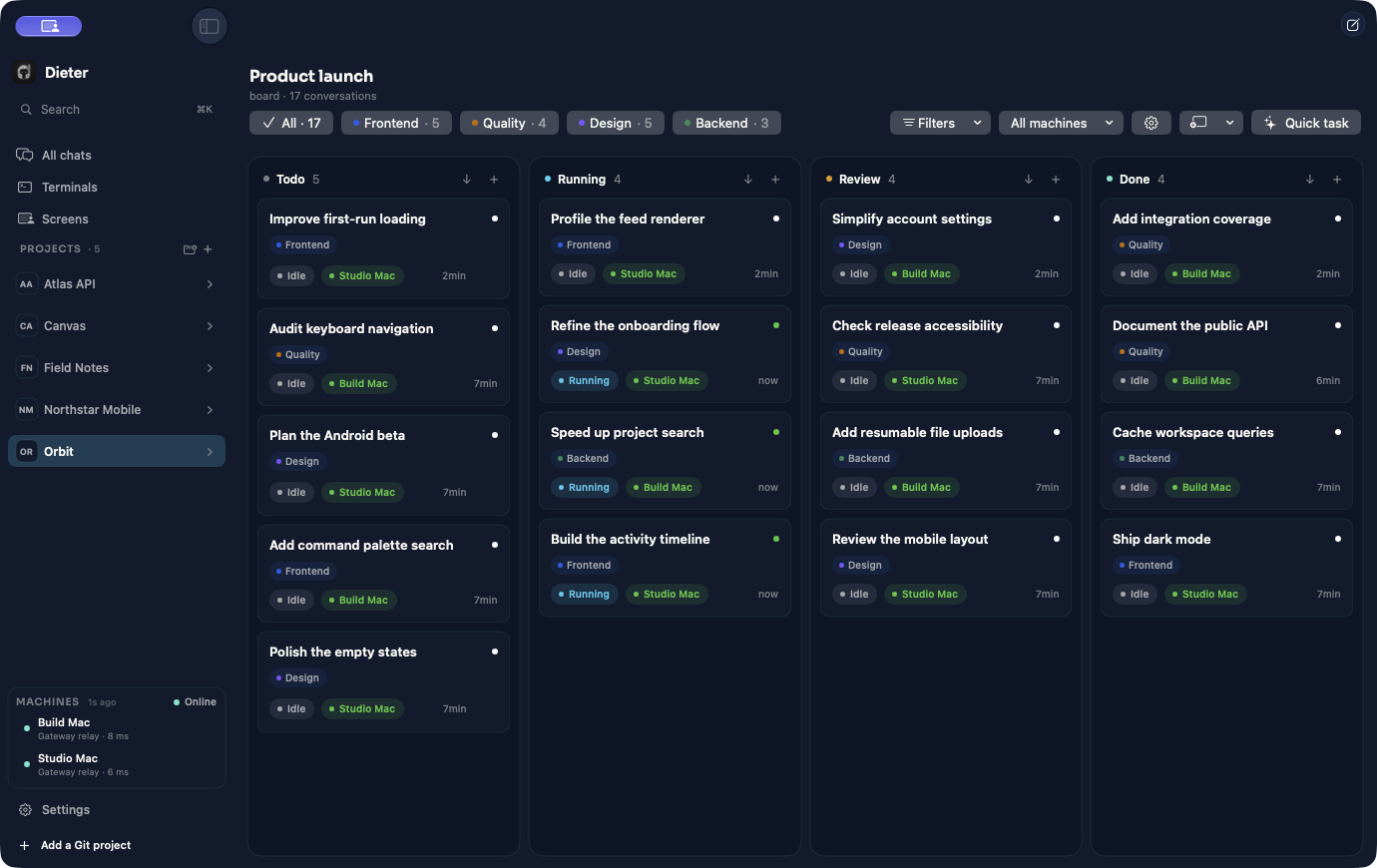
A card belongs to a board and moves through Todo, Running, Review, and Done. A standalone chat belongs to a project without becoming a board card. Both retain the transcript, attachments, model selection, and continuation state.
Create a card with a title and request, or use Quick Task on Mac for a story-only draft. Add task saves it; Run task starts immediately. Quick Task can improve the title in the background without changing the task ID.
Draft settings are editable until the first request is sent. Between later turns, supported harnesses let you change the model and reasoning level within the same provider. Harness capabilities determine the options.
Steer the conversation
A follow-up submitted during a turn enters a durable queue. Edit recalls the queued message into the composer with its attachments and selection; Remove discards it. Steering the next message requests cancellation first, then waits for provider cleanup before the queued turn starts.
Comments never start an agent and never count as approval. Use them for progress notes. Send a human message to ask for more work.
dieter card comment CARD_ID --message "Reviewed the proposed direction."
dieter card send CARD_ID --message "Add keyboard navigation and verify it."
dieter card queue remove CARD_ID --message MESSAGE_ID
Review and deliver
Move finished work to Review, inspect the diff, and run the relevant checks. Staged changes and unstaged changes remain separate; a normal commit uses only the staged index. Project-directory changes are shared and cannot be attributed to one card.
Boards configure how reviewed work is published: manual keeps remote actions
explicit, pull_request uses a PR, and push_base publishes validated local
integration to the configured base branch. A lane transition alone is not proof
that code has been committed, merged, or pushed.
dieter board git BOARD_ID --base-remote origin --remote-publish pull_request
dieter card move CARD_ID --lane review
Organize without losing history
Boards own their labels. Filter and assign by label ID in automation. Archives are reversible; retention settings can automatically archive Done cards. Mac and Android synchronize project/chat folders, ordering, sort choices, and expansion state, including queued offline edits.
Merge request moves an idle source card’s original request and attachments into a started target conversation on the same board. It retains both histories and workspaces and moves the source to Done. It does not merge Git branches. On Mac, hold a dragged card over the target for two seconds before dropping.
dieter card merge CARD_ID --into TARGET_CARD_ID
Token counts are provider-reported usage, not cost estimates. Missing or incomplete usage is marked partial instead of being shown as zero.
See the board